Digital literacy UK isn’t just about using technology -it’s about using it well. This Diwali, take control of your online life by learning simple digital habits that calm your mind and strengthen your wellbeing. Digital skills basics in the UK start with understanding how your devices affect your wellbeing. Does your phone feel overwhelming? Endless notifications, countless apps, and a never-ending scroll through social media. It’s exhausting, isn’t it? Many of us feel anxious when our devices ping constantly. Our online spaces have become cluttered and chaotic.
This digital clutter affects your mental wellbeing more than you might think. Every notification pulls your attention away. Every app permission you’ve forgotten about sits in the background. Your mind never gets a proper rest. Just like a messy home can make you feel stressed, a messy digital life does the same thing.
This Diwali, the festival of light and renewal, is the perfect time for a digital declutter. You don’t need to become a tech expert overnight. Strengthening your digital literacy involves knowing digital skills basics, means starting with small, simple changes that bring you real peace of mind.
In this post, you’ll discover easy online safety tips that protect you better. You’ll learn how to manage passwords securely. You’ll understand privacy settings that actually work. And you’ll see how government-funded courses in England can help adults 19+ strengthen their digital skills even further.
Ready to light up your online life? Let’s start with changes you can make today.
Table of Contents
Why Digital Decluttering Matters for Your Wellbeing

Your phone and computer hold more than just files and apps. They hold stress you didn’t know you were carrying. Every unread email sits like an unfinished task in your mind. Every notification ping pulls your attention away from what matters. This is digital clutter, and it affects your mental health more than you realise.
Research shows that our brains process digital mess just like physical mess. It triggers stress hormones and makes us feel overwhelmed. This constant state of alert drains your energy throughout the day.
The good news? Digital self-care practices can change everything. When you clear out unnecessary apps, turn off pointless notifications, and organise your digital space, something shifts. Your mind feels clearer. You sleep better. You focus easier. Small changes in how you manage your digital life create big improvements in how you feel every single day.
Simple Phone Settings: Digital Skills Basics UK for a Calmer Life
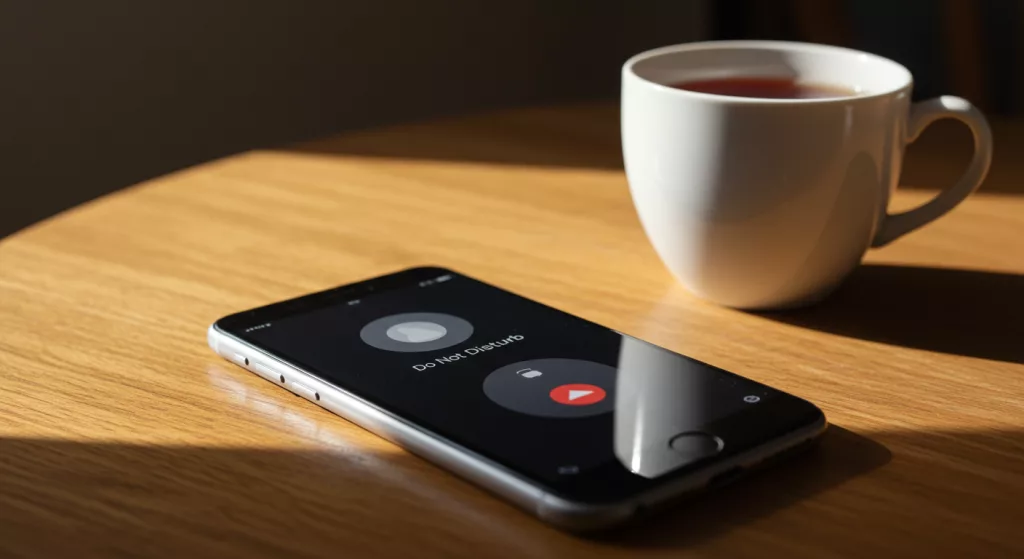
You don’t need to be a tech expert to take control of your phone. A few simple tweaks can transform how you feel when you use it. Let’s start with notification management – the fastest way to reclaim your peace.
Turn Off Non-Essential Notifications
Most notifications don’t need your immediate attention. Social media likes, shopping deals, game updates – these can wait. Go to your phone’s settings and turn off alerts for anything that isn’t urgent. On iPhone, go to Settings > Notifications. On Android, head to Settings > Notifications > App notifications. Keep only the essentials: calls, texts from family, and calendar reminders.
Review Your App Permissions
Many apps ask for access to your camera, location, and contacts. But do they really need it? Checking your privacy settings tutorial takes five minutes. On iPhone, go to Settings > Privacy & Security. On Android, try Settings > Privacy > Permission manager. Remove permissions from apps that don’t truly need them. This is basic cyber hygiene that keeps your information safer.
Enable Do Not Disturb Schedules
Create tech-free time for yourself. Set your phone to automatically go quiet during dinner or before bed. This helps you sleep better and reduces screen time naturally. mproving your digital literacy UK skills also means understanding online safety basics. This practice is a key component of strong digital literacy skills, ensuring you maintain online safety basics.
Password Security: The Digital Literacy UK Foundation for Online Safety

Diwali is about sweeping out the old and welcoming fresh beginnings. Your passwords deserve the same treatment. Weak, reused passwords are like leaving your front door unlocked. In the UK, thousands of adults lose money and personal data every year because of poor password security basics. True digital literacy starts with a strong password foundation.
Here’s what you need to know: length matters more than complexity. Security experts now recommend passwords that are at least 15 characters long. Create a passphrase using three or four random words, like “tablecomputer!mapgarden”. It’s easier to remember and far more secure.
Never use the same password twice. Each account needs its own unique password. This is where password managers become your best friend. They create long, unique passwords for every site and remember them for you. Popular options include Bitwarden and 1Password.
Add multi-factor authentication (MFA) wherever you can. Enable it on your email, banking, and social media accounts first. These online safety practices protect everything you value online.
Social Media: Taking Back Control
This Diwali, consider a social media detox – not forever, just long enough to reset your relationship with these platforms. Social media apps are designed to keep you scrolling. Every like triggers a dopamine hit in your brain, just like a slot machine. It’s not your fault you feel hooked. But you can take back control.
Start by unfollowing accounts that make you feel bad about yourself. You know the ones – the perfectly filtered lives, the constant achievements, the flawless bodies. If an account makes you feel inadequate or anxious, it doesn’t deserve space in your feed. Follow people who inspire, educate, or genuinely make you smile instead.
Set clear time limits using your phone’s built-in tools. Give yourself 30 minutes a day for digital minimalism and stick to it. Turn off all social media notifications so apps can’t interrupt your real life. Create digital boundaries without guilt – it’s not rude to protect your peace. Delete the apps from your phone if needed and only check them on your computer. This simple friction makes mindless scrolling much harder. Remember, these platforms should add value to your life, not steal your time and energy.
Creating Calmer Online Habits That Stick
Building better online habits isn’t about perfection. It’s about small, consistent changes that add up over time. Start with your morning routine. Instead of reaching for your phone the moment you wake up, leave it charging in another room. Give yourself 30 minutes to stretch, have breakfast, or simply sit quietly before diving into the digital world.
Create evening boundaries too. Set a digital curfew one hour before bed. No screens in the bedroom. Charge your phone outside your room and use an old-fashioned alarm clock instead. This single change improves sleep quality dramatically. Blue light from screens messes with your brain’s natural sleep signals, making it harder to rest properly.
The real power comes from tech stress reduction through replacement, not just restriction. When you feel the urge to scroll, do something else instead. Read a few pages of a book. Go for a short walk. Call a friend for a real conversation. These offline activities give your brain the reset it craves without the anxiety that comes from endless scrolling.
Practice mindful technology use by asking yourself one question before opening any app: “Why am I doing this right now?” If the answer is “I’m bored” or “just because,” close the app and choose something more fulfilling. Be kind to yourself when you slip up. Changing behaviour takes time. Every small choice to pause before scrolling is progress worth celebrating. By implementing these simple steps, you are actively improving your digital literacy and digital security and choosing long-term wellbeing.
Take Your Digital Literacy UK Skills Further with Free Funded Courses
These simple habits are just the beginning. If you’re ready to build stronger digital skills, consider how improving your digital literacy UK can transform your career. These aren’t just basic computer classes – they’re proper qualifications that boost your career prospects and confidence online.
Level 2 Data Protection and Data Security Course
The Level 2 Data Protection and Data Security course teaches you essential skills for today’s digital world. You’ll learn how to protect your personal information, understand your rights online, and keep your data safe from threats. These digital literacy skills matter whether you’re job hunting, running a business, or simply want to feel more in control of your online life.
Why Choose Government-Funded IT Courses?
Best of all, if you’re eligible, these courses are completely free. No hidden costs, no catches. You’ll gain recognised qualifications that employers value. Digital skills open doors – better job opportunities, higher pay, and the confidence to navigate an increasingly online world. To strengthen your digital literacy UK skills, explore free funded courses for adults.

Take Your Digital Skills Further: Digital Literacy UK
Whether you want to change careers, progress in your current role, or simply feel less anxious about technology, there’s a course designed for you. Understanding which areas receive government funding helps you choose the right path, while learning about transferable skills shows how your qualification can open multiple career doors. We also offer comprehensive study support for adults returning to education after a break. These qualifications are designed to give adults a significant boost in their overall digital literacy.
How to Get Started
Visit www.myfreecourse.co.uk to browse available courses in your area. The website makes it easy to:
- Check your eligibility for free courses
- Compare different digital skills qualifications
- Find courses near you or available online
- Understand what each course covers
- Apply directly through a simple online form
Most courses offer flexible learning options, including evening classes and online study, so you can fit learning around work and family commitments. Many students complete their qualifications within 8-12 weeks, depending on the course level.
Real Benefits for Your Career and Life

Students who complete digital skills training for adults in England report increased confidence, better job prospects, and higher earning potential. Employers across all sectors now expect basic digital competence, and advanced skills like data protection knowledge can set you apart from other candidates.
Beyond career benefits, these courses help you navigate online life more safely and confidently. You’ll understand how to spot scams, protect your family’s data, and make informed decisions about privacy and security.
Ready to take the next step? Explore funded IT courses England options available in your area at www.myfreecourse.co.uk. Check your eligibility for free Level 2 courses today.
This Diwali, light up not just your online habits, but your entire future. Your digital wellbeing journey doesn’t end with a cleaner phone – it grows into real skills that transform your life and career.
Final Thoughts

Small changes create big shifts. You don’t need to transform your entire digital life overnight. Start with one habit from this post – maybe turning off notifications or creating a bedtime phone boundary. Try it for a week and notice how you feel.
This Diwali marks a fresh beginning. Just as you light diyas to welcome positive energy into your home, these digital habits bring calm into your online world. Your phone should work for you, not against you. Your passwords should protect you. Your social media should inspire you, not drain you.
The beauty of these strategies is their simplicity. No expensive apps needed. No complicated technical knowledge required. Just conscious choices, repeated daily, until they become second nature.
Remember that building new habits takes patience. Some days you’ll reach for your phone out of habit. That’s normal. Progress isn’t perfection – it’s showing up and trying again. Each time you pause before scrolling, you’re strengthening your ability to choose calm over chaos.
Government-funded courses can take your journey further. Learning proper digital skills gives you confidence and opens career opportunities you might not have considered. Whether you’re looking to change jobs, start a business, or simply feel more secure online, these qualifications make a real difference.
The team at My Free Course understands that taking the first step towards learning can feel daunting. That’s why the website at www.myfreecourse.co.uk is designed to make finding and applying for courses as simple as possible. Browse courses by subject, location, or level. Read clear descriptions of what you’ll learn. Check eligibility in minutes. Apply online without complicated forms or lengthy processes.
Thousands of adults across England have already transformed their lives through funded courses. They’ve gained qualifications, switched careers, earned promotions, and built the digital confidence they needed to thrive in modern life. You can too. Y5ou too can achieve a high level of digital literacy UK.
Your digital wellbeing matters. The time you invest in these habits repays you with clearer thinking, better sleep, stronger focus, and genuine peace of mind. Light up your online life this Diwali – you deserve that calm.
Take action today. Implement one digital habit from this guide. Then visit www.myfreecourse.co.uk to discover how free courses can take your skills even further. Your calmer, more confident digital future starts with a single step.
Additional Resources for Your Digital Wellbeing Journey
See Related Courses
Beyond data protection, www.myfreecourse.co.uk offers a range of courses that support your digital wellbeing and career development:
- Cyber Security Awareness – Learn to protect yourself and your family online
- Coding – Practical computing skills for work and personal use
- Data Protection – Use platforms strategically rather than mindlessly
Browse the full course catalogue to find qualifications that match your goals and interests: Study with Us
Disclaimer
The information provided in this blog post is intended as general guidance only. My Free Course cannot be held accountable for any decisions individuals make after reading this content. For official government guidance, visit the UK Government’s digital skills page.
Individual circumstances vary, and what works for one person may not suit another. The digital habits and strategies discussed here are suggestions based on research and best practices, but results may differ. For specific concerns about mental health, online safety, or technical issues, please seek advice from qualified professionals.
Need additional information or signposting?
Contact us at: [email protected]
We’re here to help guide you towards the right courses and resources for your situation. Whether you have questions about eligibility, course content, or how to apply, our friendly team can point you in the right direction.
FAQs
Digital Literacy in the UK and Funded Courses
What is digital decluttering and why does it matter?
Digital decluttering means organising and cleaning up your digital spaces – your phone, computer, emails, and apps. It matters because digital mess creates mental stress just like physical clutter. When you remove unnecessary apps, files, and notifications, your mind feels clearer and you experience less anxiety. Research shows this improves focus, sleep quality, and overall wellbeing. Think of it as spring cleaning for your devices, creating space for what truly matters.
How do I know which notifications to turn off?
Keep notifications only for truly urgent matters – phone calls, texts from close family, work messages during work hours, and calendar reminders. Turn off everything else: social media, news apps, shopping apps, games, and promotional emails. Ask yourself: “Does this notification require my immediate attention?” If the answer is no, switch it off. Most people find they can safely disable 80-90% of their notifications without missing anything important.
Are password managers really safe to use?
Yes, reputable password managers like Bitwarden, 1Password, and Dashlane use strong encryption to protect your passwords. They’re far safer than reusing the same weak password across multiple sites or writing passwords on paper. You only need to remember one strong master password, and the manager generates and stores unique passwords for every account. Always enable multi-factor authentication on your password manager for extra security. Major cybersecurity experts recommend password managers as essential tools for online safety.
How long should my passwords be in 2025?
Security experts now recommend passwords of at least 15 characters, with 16-20 characters being even better. Length matters more than complexity. A passphrase made of three or four random words (like “tablecomputer!mapgarden”) is both more secure and easier to remember than a short password with lots of symbols. The longer your password, the exponentially harder it becomes for hackers to crack using brute force attacks.
What’s the difference between active and passive social media use?
Passive use means mindlessly scrolling through feeds without engaging – just consuming content. This type of use is linked to increased anxiety and feelings of inadequacy. Active use involves genuine interaction: sending messages, commenting meaningfully, and posting your own content to connect with others. Active use can build social connection, while passive scrolling often leaves you feeling drained and anxious. Research shows that limiting passive use while maintaining active, intentional engagement creates better mental health outcomes.
How can I do a social media detox without feeling disconnected?
Start small with a partial detox rather than going completely offline. Delete apps from your phone but access them on your computer once daily. Set a strict 30-minute time limit. Fill the time you’d normally spend scrolling with real-world activities: phone a friend, go for a walk, read a book, or try a hobby. Real connection comes from face-to-face interaction, not scrolling through feeds. Most people find that after a week, they don’t miss constant social media access as much as they expected.
What are funded courses and who qualifies for them in England?
Funded courses are government-paid qualifications available to adults aged 19 and over in England who meet certain criteria. You may qualify if you’re unemployed, on low income, or don’t already have a Level 2 qualification. Courses cover subjects like Data Protection, Digital Skills, IT basics, and many other topics. They’re completely free if you’re eligible – no tuition fees or hidden costs. Check www.myfreecourse.co.uk to see available courses and eligibility requirements, or contact the UK Government website for official guidance.
Will turning my phone to grayscale actually help reduce screen time?
Set a specific time (like 9 PM) when all screens go off. Charge your phone outside your bedroom – in the kitchen or hallway. Use a traditional alarm clock instead of your phone. Create a relaxing evening routine to replace screen time: read a physical book, do gentle stretches, or write in a journal. Tell family or housemates about your curfew so they can support you. Start with just 30 minutes before bed and gradually extend it to one hour. The blue light from screens disrupts your natural sleep hormones, so this one change can dramatically improve sleep quality.
How do I create a digital curfew that actually works?
Set a specific time (like 9 PM) when all screens go off. Charge your phone outside your bedroom – in the kitchen or hallway. Use a traditional alarm clock instead of your phone. Create a relaxing evening routine to replace screen time: read a physical book, do gentle stretches, or write in a journal. Tell family or housemates about your curfew so they can support you. Start with just 30 minutes before bed and gradually extend it to one hour. The blue light from screens disrupts your natural sleep hormones, so this one change can dramatically improve sleep quality.
What should I do if I slip back into old digital habits?
Be kind to yourself – changing behaviour takes time and setbacks are normal. Don’t give up completely just because you had a bad day. Notice what triggered the slip: were you bored, stressed, or avoiding something? Use that awareness to strengthen your strategy. Remove the trigger if possible (delete the app, turn off notifications). Start fresh tomorrow with one small habit. Progress isn’t linear, and every conscious choice to pause before scrolling is a win worth celebrating. Building new habits typically takes 6-8 weeks of consistent practice.
How long do funded digital skills courses take to complete?
Most Level 2 courses can be completed within 8-12 weeks, depending on the specific qualification and your learning pace. Many courses offer flexible study options including evening classes, weekend sessions, and online learning, so you can fit study around work and family commitments. Some intensive courses may be completed faster, while others allow you to study at your own pace over several months. Visit www.myfreecourse.co.uk to see specific course durations and study options available in your area.
Will a Level 2 Data Protection course help me get a better job?
Yes, digital skills qualifications are increasingly valuable across all sectors. Employers now expect basic digital literacy, and specialist knowledge in areas like data protection can set you apart from other candidates. The Level 2 Data Protection and Data Security qualification demonstrates to employers that you understand GDPR, can handle sensitive information responsibly, and have practical skills for today’s digital workplace. Many students report getting promotions, pay rises, or new job opportunities after completing funded courses. Even if you’re not job hunting, these skills build confidence and capability in your current role.